
For fleets of 51 or more trucks
Terminals, docks and a full office, on the same load
We show you what works today, what works with your own accounts and what isn't built yet Then a demo on an account set up under your own USDOT number
 Built inside, and run every day by, a working carrier in Elk Grove Village, Illinois
What works today
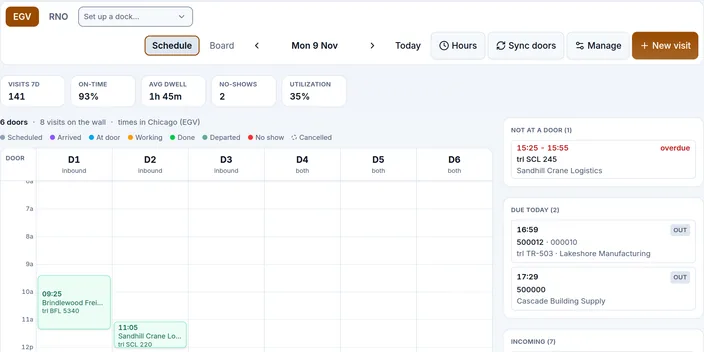
- Dock appointments per terminal in its time zone, and a floor app with phone and PIN sign-in
- Ten built-in permission groups and over 200 permissions Add staff, not seat fees
- Changes kept for a year, with before and after values
- Two-step sign-in with an authenticator app and backup codes, and a fresh check before sensitive admin actions
- Driver settlements with deductions and reimbursements, and fee schedules for leased owner-operators
- One onboarding link for each outside carrier: the e-signed agreement, W-9, insurance certificates and authority
- Tested on a 1,000-truck workspace: every truck on the dispatch board and in every picker
- Your company's records are kept to your own account
What works with your own account
- With your own Samsara account: truck positions, ETAs, hours-of-service clocks and arrivals that record themselves
- With your own Samsara cameras: a driver safety program to review and coach events
- With your own EFS login: fuel card purchases on the right truck, and fuel by state for IFTA
- With your own AI key: scans and photos of rate cons read into loads Clean PDFs are read with no AI key
What isn't built yet
- No ELD but Samsara yet: Motive, Geotab and the rest don't connect
- No public API, and no webhooks for load events
- No EDI with shippers
- No single sign-on
- No separate books for several MC numbers
- No custom fields, statuses or workflows
- No SOC 2 report and no uptime SLA
- No QuickBooks Online connection yet There's an export for QuickBooks Desktop
- No cross-docking in the warehouse tools, and no scanning on the dock
Checked November 10, 2026
What moving in takes
- Drivers, trucks, trailers, users and open loads come in from a CSV
- No customer import yet: we enter your customers with you
- Your Samsara account and your EFS login connect in Settings
- Each terminal's dock book runs in that terminal's time zone
What happens after you ask
- We answer the same business day, by email
- Before any call, you get a written answer to everything you ticked, what isn't built included
- Then 30 minutes on an account we set up under your own USDOT number
- After the call, a written summary of what fits and what doesn't
Price: Quoted to your fleet
Book a fleet demo
Six questions and a tick list No phone number
Drive connected
Rather try it yourself first? Start free
- No card
- Never priced per user
- No setup fee